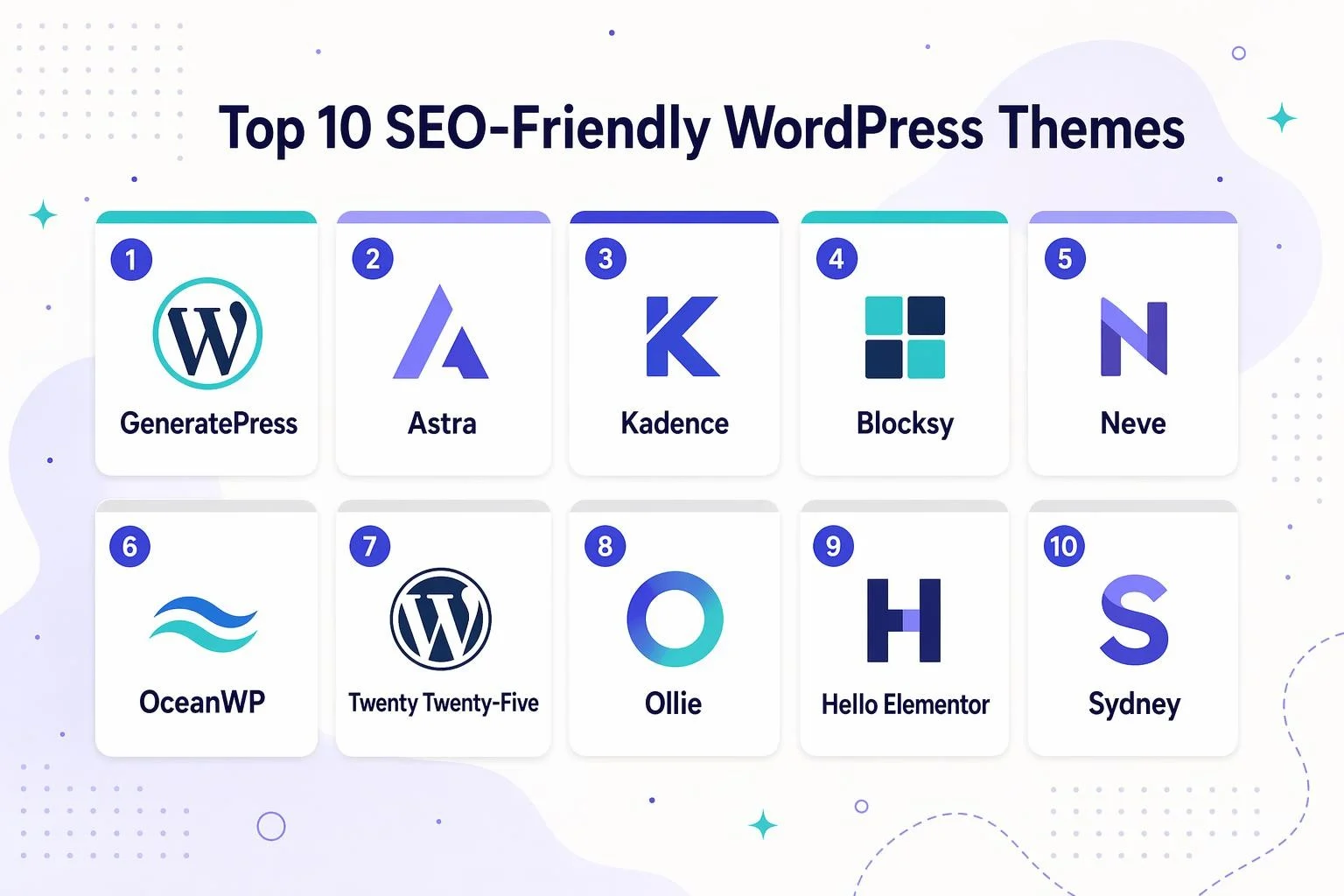
Top 10 SEO-Friendly WordPress Themes for 2026
GeneratePress, Astra, Kadence, Blocksy and six more, ranked for SEO with current install counts, update dates, and who should skip each one.

Updated 7 min read
- Author
- Published
- Updated
- Reading time
- 7 min
You want a theme that won't hold your rankings back, and every theme on the market calls itself "SEO-friendly." Most of them are telling the truth about the basics. The real differences are page weight, how cleanly the theme hands SEO jobs to your plugin, and whether anyone is still maintaining it.
For most sites in 2026 the answer is one of four themes: GeneratePress for lean content sites, Astra for template-driven business sites, Kadence for WooCommerce, and Blocksy if you want lots of design control in the free version. The other six below fit narrower cases.
This list is about picking a theme. If you want the process for vetting any theme yourself, use the WordPress theme SEO checklist instead.
The 10 themes at a glance
All figures come from each theme's WordPress.org listing as of November 6, 2026. "Accessibility-ready" means the theme passed the WordPress.org accessibility review, which also tends to mean clean headings, landmarks, and keyboard navigation.
Theme | Type | Active installs | Last updated | Accessibility-ready | Best for |
|---|---|---|---|---|---|
GeneratePress | Classic | 500,000+ | Dec 1, 2025 | No | Content blogs, developers |
Astra | Classic | 1 million+ | Oct 29, 2026 | No | Business sites, starter templates |
Kadence | Classic | 500,000+ | Nov 6, 2026 | Yes | WooCommerce, service businesses |
Blocksy | Classic | 300,000+ | Oct 30, 2026 | Yes | Design control on a free theme |
Neve | Classic | 200,000+ | Nov 6, 2026 | Yes | Simple sites on a budget |
OceanWP | Classic | 400,000+ | Oct 26, 2026 | Yes | Elementor sites, small stores |
Twenty Twenty-Five | Block | 1 million+ | May 20, 2026 | Yes | Full Site Editing on core only |
Ollie | Block | 7,000+ | Nov 4, 2026 | No | Polished block-theme design |
Hello Elementor | Classic | 1 million+ | Nov 3, 2026 | Yes | Elementor-only builds |
Sydney | Classic | 80,000+ | Oct 22, 2026 | No | Small business and portfolio sites |
How these were ranked
There are no in-house benchmarks behind this list. The ranking weighs four things you can check yourself:
- Front-end weight, using published third-party speed tests rather than vendor claims.
- How the theme handles SEO: clean heading output, and leaving titles, meta tags, and most schema to your SEO plugin.
- Maintenance, read from the WordPress.org update history.
- Fit with Rank Math, Yoast SEO, and WooCommerce without duplicate tags or conflicts.
Speed differences between the top lightweight themes are small. In Themeisle's published speed test, Neve, Kadence, GeneratePress, Astra, and Blocksy all fully loaded between 563 and 837 ms on the same test site. Themeisle makes Neve, so weigh that, but the takeaway holds: among these themes, your hosting and plugins matter more than the theme itself.
1. GeneratePress
GeneratePress is the lean default for content sites. It ships with very little enabled, outputs plain semantic markup, and has a hook system that lets developers change almost anything without editing theme files. The free theme is enough for a real blog.
The paid side is now a single plan, GeneratePress One, which bundles GP Premium, GenerateBlocks Pro, and the GenerateCloud starter sites from $99 a year for one site (pricing). One thing to watch: the free theme's last WordPress.org release was December 2025, so check the changelog before you commit.
- Best for: content blogs, developer projects, anyone who wants a minimal base
- Skip if: you want a large free template library
- Pairs with: GenerateBlocks for layouts in the block editor
The head-to-head with its closest rival is in GeneratePress vs Astra.
2. Astra
Astra is one of three themes on this list with 1 million+ active installs. It's light by default and leans on starter templates: the free Starter Templates plugin gets you going, and the paid toolkits add 300+ premium designs.
Astra Pro on its own costs $69 a year for up to 3 sites, and the Business Toolkit covers up to 1,000 sites for $279 a year, with lifetime options on every tier (pricing).
- Best for: business sites, WooCommerce stores, agencies building client sites fast
- Skip if: you want the leanest possible foundation and plan to build everything yourself
- Pairs with: Starter Templates, Spectra, or Elementor
3. Kadence
Kadence sits between GeneratePress and Astra: light on the front end, with header and footer builders and WooCommerce options in the free version. Unlike GeneratePress and Astra, it carries the accessibility-ready tag. Kadence is now sold through Liquid Web, and the WordPress.org listing shows Nexcess as the author.
- Best for: WooCommerce stores and service businesses that want a modern look
- Skip if: you need the absolute smallest page size
- Pairs with: Kadence Blocks
4. Blocksy
Blocksy gives you more design control in its free version than most themes give in their paid one, and it's accessibility-ready. It is a classic theme configured through the Customizer with strong block editor support, not a Full Site Editing block theme, despite what many roundups say. Blocksy Pro starts at $69 a year for one site (pricing).
- Best for: designers and site owners who want headers, layouts, and WooCommerce options without paying
- Skip if: you specifically want a block theme you edit in the Site Editor
- Pairs with: any block plugin, or Elementor
5. Neve
Neve is Themeisle's lightweight theme. In Themeisle's own test it had the smallest page size of the group, at 397 KB. It's a sensible free starting point for a simple site, with starter sites and accessibility-ready markup.
- Best for: personal sites and simple business sites on a budget
- Skip if: you want a large third-party ecosystem around your theme
- Pairs with: Otter Blocks
6. OceanWP
OceanWP has 400,000+ active installs and a long list of options, including per-page controls and WooCommerce extras. It carried the most weight of the group in Themeisle's test (31 requests, 576 KB), so expect a little more tuning to pass Core Web Vitals.
- Best for: Elementor-based sites and small stores that want lots of settings
- Skip if: you want a block-first or minimal theme
7. Twenty Twenty-Five
WordPress's current default theme is a block theme with 1 million+ installs and the accessibility-ready tag. You edit everything (header, footer, templates) in the Site Editor, with no third-party company in the loop. If you're new to that way of working, start with WordPress Full Site Editing.
- Best for: block-first sites and people who want core WordPress only
- Skip if: you want advanced layout controls without building patterns yourself
8. Ollie
Ollie is Mike McAlister's block theme, with polished typography, style variations, and a pattern library aimed at the Site Editor. It's much smaller than the others here (7,000+ installs) but actively updated.
- Best for: creators who want a designed block theme rather than a blank one
- Skip if: you need classic-theme features or a large support community
9. Hello Elementor
Hello Elementor does almost nothing on purpose. It's a minimal base that leaves all layout and styling to Elementor. That makes the theme light, but Elementor itself adds weight, so judge the pair together.
- Best for: sites built entirely in Elementor
- Skip if: you aren't using Elementor
10. Sydney
Sydney is a business-focused classic theme from aThemes with 80,000+ installs and regular updates. It's a reasonable pick for a small business or portfolio site that wants a distinct look, but it lacks the ecosystem and independent test coverage of the top five.
- Best for: small business sites, portfolios, landing pages
- Skip if: you want a large plugin and template ecosystem around your theme
Themes that didn't make the list
Divi was rebuilt from the ground up as Divi 5, released in February 2026 with performance as a stated focus. It's worth testing again if you wrote it off, but it's still a builder that owns your layouts, which makes switching away later expensive.
Large multipurpose themes from ThemeForest are the other common pick. Many bundle sliders, builders, and plugins you can't fully remove. Test the demo before you buy, and skip anything that hasn't been updated in the last 12 months.
Which theme for your use case
Use this as a shortcut once you know what you're building:
Site type | Pick | Runner-up |
|---|---|---|
Content blog | GeneratePress | Kadence |
Business or service site | Astra | Kadence |
WooCommerce store | Kadence | Astra |
Agency managing many sites | Astra (Business Toolkit, 1,000 sites) | GeneratePress One (100 sites) |
Developer projects | GeneratePress | Kadence |
Block theme and Site Editor | Twenty Twenty-Five | Ollie |
Personal site on a budget | Neve | Blocksy |
Elementor-only workflow | Hello Elementor | OceanWP |
If raw speed is your main concern, the fast-loading WordPress themes comparison puts the published load times side by side.
Test before you switch
Whichever theme you pick, run it on staging first:
- Install it on a staging copy of your site, not production.
- Run PageSpeed Insights on your real templates (home, a post, a category page) and compare against your current theme. The field data panel matters more than the score; WordPress speed optimization explains why.
- Run the Rich Results Test on a post to make sure your SEO plugin's schema still outputs once, with no duplicates from the theme.
- Check your three most-visited pages on a real phone.
Switching carries its own risk if you lose widgets, schema, or URLs along the way. The full pre-switch checklist is in does changing a WordPress theme affect SEO.
The short version
Pick GeneratePress, Astra, Kadence, or Blocksy for most sites, and choose between them on workflow rather than speed, because the speed gap is small. Go with Twenty Twenty-Five or Ollie if you want a true block theme. Whatever you choose, test it on staging with your real content before it goes live.