GeneratePress vs Astra (2026): Speed, SEO and Pricing Compared
GeneratePress vs Astra with current 2026 pricing, published speed results, and SEO plugin fit. Which lightweight theme suits a blog, a store or an agency.

Updated 5 min read
- Author
- Published
- Updated
- Reading time
- 5 min
You've narrowed it down to GeneratePress or Astra, and every comparison you read seems to crown a different winner. That's because on the things that affect SEO, the two are almost tied. Both are light, both output clean markup, and both leave SEO jobs to your SEO plugin.
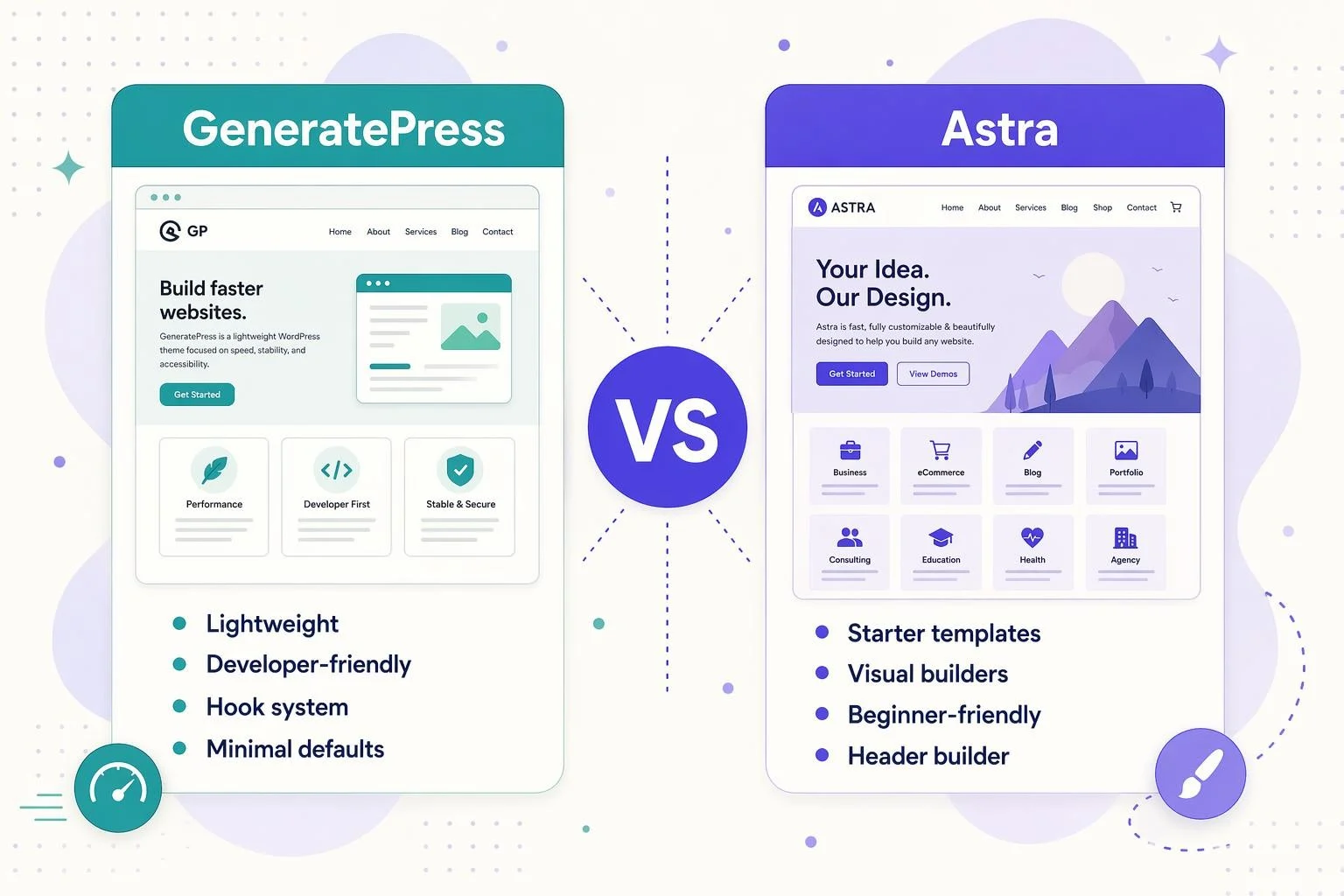
The real differences are workflow and price. GeneratePress is a minimal base for people who like to build things themselves. Astra is a faster route to a finished-looking site, with a big template library and a deeper WooCommerce module. Pricing changed in 2026 for both, so older comparisons quoting "$59 a year for 500 sites" are out of date.
If you're still choosing between more than two themes, start with the top 10 SEO-friendly WordPress themes instead.
The quick answer
- Pick GeneratePress if you run a content site, write your own code or CSS, and want the plainest possible starting point.
- Pick Astra if you want to start from a template, build WooCommerce stores, or manage many client sites on one license.
- Don't pick either one for speed alone. In published tests they finish within about 80 ms of each other.
Side-by-side comparison
Install counts and update dates are from WordPress.org, and prices are from each vendor's pricing page, all checked on November 6, 2026.
GeneratePress | Astra | |
|---|---|---|
Active installs | 500,000+ | 1 million+ |
Latest free release | 3.6.1, December 1, 2025 | 4.14.2, October 29, 2026 |
Theme type | Classic, with strong block editor support | Classic, with strong block editor support |
Starter sites | 80+, paid plan only | Free templates, plus 300+ premium in paid toolkits |
Block plugin | GenerateBlocks (Pro included in paid plan) | Spectra (Pro included in toolkits) |
Paid plans | One bundle: $99 to $199 a year | Four tiers: $69 to $279 a year |
Lifetime option | $596 for 100 sites | On every tier, $249 to $799 |
Max sites on top plan | 100 | 1,000 |
One row deserves a note. GeneratePress's free theme hasn't had a WordPress.org release in about 11 months, while Astra's latest release landed in late October 2026. That isn't automatically a problem for a mature theme, and the company is clearly active (its pricing page was updated in October 2026), but it's worth checking the changelog before you commit.
Speed: too close to matter
Both themes are fast, and the published numbers prove it more than they separate them. In Themeisle's speed test on a shared demo site, GeneratePress fully loaded in 639 ms with 15 requests and 428 KB, and Astra in 719 ms with 16 requests and 446 KB. WP Rocket's 2026 test went the other way and put Astra at the top of its lightweight group.
The difference in philosophy is real, though. GeneratePress turns almost nothing on by default, and each premium feature is a module you switch on. Astra enables more out of the box, and imported starter templates can add a page builder and extra sections. If you're careful with templates, both pass Core Web Vitals on decent hosting. The theme-by-theme numbers are in fast-loading WordPress themes.
SEO features and plugin compatibility
On SEO the two themes take the same approach: keep the theme's footprint small and let a dedicated plugin handle titles, meta descriptions, sitemaps, and most structured data. That matches the WordPress.org theme rules, which treat SEO options as plugin territory.
Both work with Rank Math, Yoast SEO, and SEOPress. Both output one H1 for the post title on standard templates and use semantic landmarks for the header, content, and footer. Neither carries the WordPress.org accessibility-ready tag, so run your own keyboard and contrast checks on your final design.
For schema, neither theme replaces your SEO plugin. If you need Product, LocalBusiness, or Recipe markup, that comes from the plugin regardless of theme. Check that the theme isn't also adding its own markup on top, using the steps in schema markup in WordPress themes.
Customization: developers vs template users
GeneratePress is built around hooks. The premium Elements feature lets you build headers, footers, and post and archive templates, insert code at any hook, and set display rules for where each element appears. If you write a child theme or drop PHP into hooks, GeneratePress fits that workflow well. The trade-off is that a beginner opening it for the first time sees a very plain site and not much guidance.
Astra puts the visual tools first. The header and footer builder, global colors, and typography controls let you finish a site without touching code, and Starter Templates gets you a full design in a few clicks. Astra has hooks and display rules too, through Astra Pro, so developers aren't locked out, but the product is clearly designed around the template workflow.
Pricing in 2026
Both companies have reshaped their plans, so here are the current numbers.
GeneratePress pricing
GeneratePress now sells one bundle, GeneratePress One, and you can't buy GP Premium on its own anymore. Every tier includes GP Premium, GenerateBlocks Pro, GenerateCloud (80+ starter sites), GeneratePress AI, and priority email support, with a 30-day refund window.
Plan | Price | Sites |
|---|---|---|
GeneratePress One | $99 a year | 1 |
GeneratePress One | $149 a year | 10 |
GeneratePress One | $199 a year or $596 lifetime | 100 |
Source: generatepress.com/pricing.
Astra pricing
Astra has four tiers, each with a yearly or lifetime option.
Plan | Yearly | Lifetime | Sites | Includes |
|---|---|---|---|---|
Astra Pro (add-on only) | $69 | $249 | 3 | Astra Pro |
Astra Pro + AI | $99 | $279 | 3 | Astra Pro |
Essential Toolkit + AI | $199 | $549 | 10 | Astra Pro, Spectra Pro, Ultimate Addons for Elementor, 300+ premium templates |
Business Toolkit + AI | $279 | $799 | 1,000 | Everything in Essential, plus SureForms |
Source: wpastra.com/pricing.
For up to 3 sites, Astra Pro is cheaper. At 10 sites, GeneratePress One ($149) undercuts Astra's Essential Toolkit ($199). For agencies, Astra's 1,000-site Business Toolkit covers far more sites than GeneratePress's 100-site ceiling.
Which to pick by use case
Use case | Better fit | Why |
|---|---|---|
Content blog | GeneratePress | Minimal defaults, nothing to strip out |
Business or service site | Astra | Templates get a non-designer to a finished site fast |
WooCommerce store | Astra | Deeper WooCommerce options; GeneratePress works but does less |
Agency, many sites | Astra | 1,000-site license on the Business Toolkit |
Custom development | GeneratePress | Hook-first architecture, very little to override |
What about block themes?
Both are classic themes with full block editor support, not Full Site Editing block themes. That's fine: classic themes aren't being phased out, and both companies build their layout tools on blocks (GenerateBlocks and Spectra). If you want to edit headers and templates in the WordPress Site Editor itself, look at a block theme such as Twenty Twenty-Five instead; WordPress Full Site Editing explains the difference.
Switching between them
Moving from one to the other is a normal theme switch. Your posts, URLs, and SEO plugin settings stay put, but you'll rebuild headers, footers, and any hook-based or custom-layout elements. Test on staging first and follow the checklist in does changing a WordPress theme affect SEO.
The short version
GeneratePress and Astra are equally good for SEO and within a rounding error on speed. GeneratePress suits content sites and developers who want a minimal base, and its paid plan is now a $99-and-up bundle. Astra suits template-driven business sites, WooCommerce stores, and agencies, with cheaper single-site pricing and a 1,000-site tier. If you're still torn, install both free versions on staging and build one page in each. The one you finish faster is the right one.