
Full Site Editing (FSE) is WordPress’s system for editing every part of your website (headers, footers, templates, page layouts) using the same block editor you already use for posts and pages. Instead of editing header.php and footer.php in a code editor, you drag and drop blocks into a visual site editor.
FSE launched with WordPress 5.9 in January 2022 and has matured substantially since. By WordPress 6.5+ in 2026, it’s the default editing experience for any site using a block theme like Twenty Twenty-Four, Twenty Twenty-Five, or Twenty Twenty-Six.
This post covers what FSE actually is in 2026, its main components, the SEO implications, and whether you should be using it.
The core idea
Before FSE, you edited content in the block editor but everything else (templates, headers, footers, typography, color) lived in the theme’s PHP files. You either hacked them directly, used a page builder (Elementor, Divi, Beaver Builder), or customized through the old Customizer.
FSE collapses all of that into one editing experience. Every part of your site is a block or a template built from blocks. Theme developers ship theme.json, templates, and template parts. Users edit them all through the Site Editor without touching code.
The main components
Site Editor
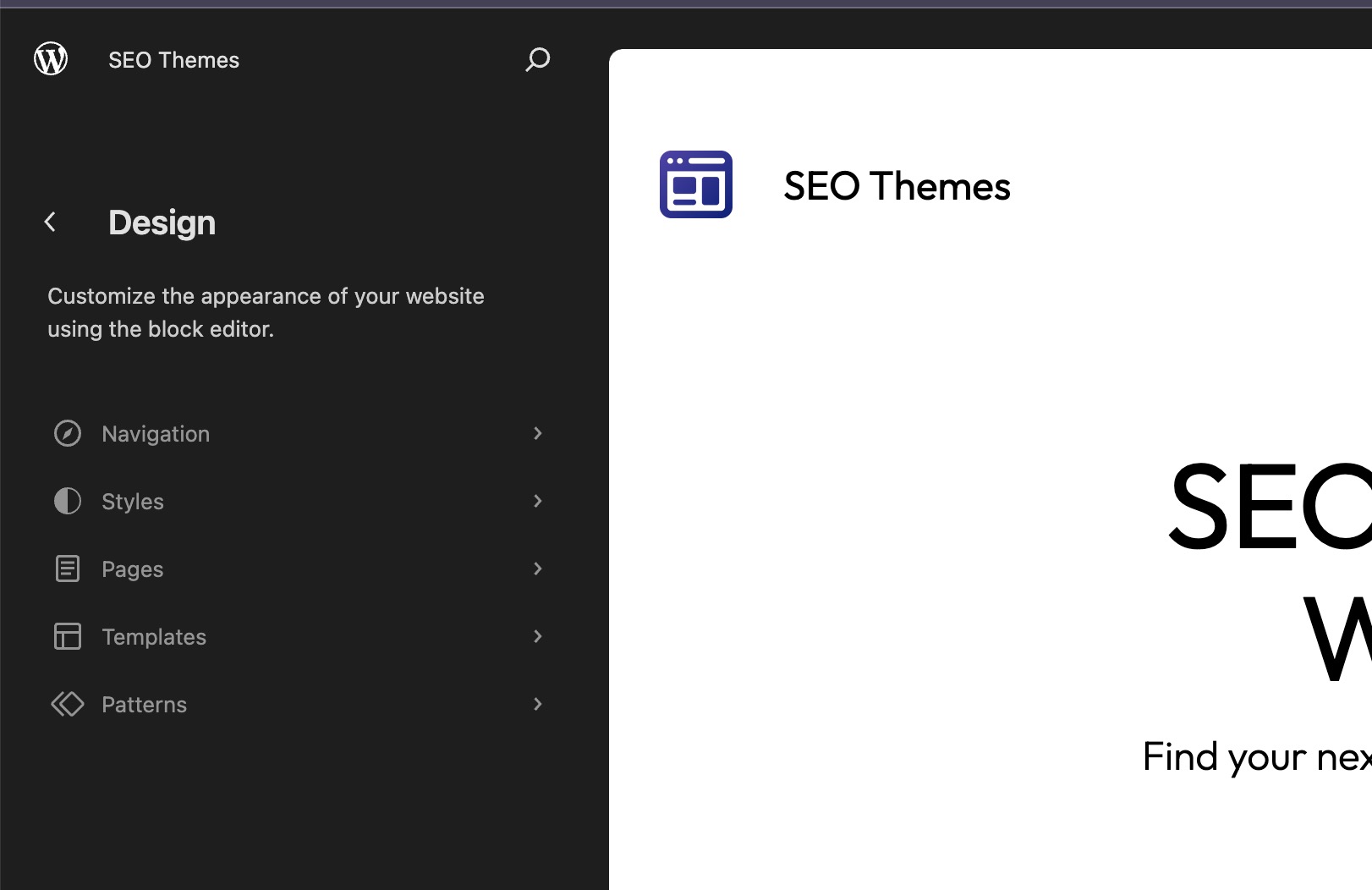
The central interface. Access it at Appearance → Editor. From here you can edit any template (single post, page, archive, 404), any template part (header, footer, sidebar), and any pattern. Changes apply across the entire site.
Block Themes
Block themes are WordPress themes built entirely from blocks, controlled by a theme.json configuration file instead of PHP templates. Twenty Twenty-Four is the current default. Twenty Twenty-Five shipped in late 2024. Twenty Twenty-Six ships with WP 6.9. All are block themes.
If your theme still has a header.php and footer.php, it’s a classic theme and only partially supports FSE.
Global Styles
One interface for site-wide colors, typography, spacing, and block defaults. Set them once and every block across the site picks them up. Changes propagate instantly.
Template Editing
Edit page templates directly from the Site Editor. You can create custom templates for specific posts or pages (for example, a unique layout for case studies) without writing a line of PHP.
Patterns
Reusable block arrangements. WordPress ships a growing library of patterns, and the theme-supplied patterns in Twenty Twenty-Four and newer cover almost every common layout need. The Pattern Directory adds thousands more.
Navigation Block
Lets you edit site navigation visually from anywhere the Navigation block appears. Works the same everywhere, including in the Site Editor.
Query Loop Block
The FSE replacement for custom WP_Query calls. Builds dynamic lists of posts (by category, author, date, custom taxonomy) with a visual interface. Powerful enough that most sites no longer need custom PHP for post listings.
Block Bindings (WP 6.5+)
A newer addition worth knowing about. Block Bindings lets you connect a block’s content to a data source (custom fields, user data, site data) without writing a custom block. Useful for structured content and light programmatic SEO setups.
Is FSE good for SEO?
Yes, with two caveats.
Good for SEO:
- Block themes are typically lighter and faster than legacy page-builder themes like Divi or Avada
- Cleaner HTML output than most visual builders (less div soup)
- Global Styles reduces custom CSS bloat across the site
- Better Core Web Vitals out of the box, especially on new builds
theme.jsongives fine-grained control over performance-related settings
Caveats:
- A badly-configured block theme with too many custom patterns can still be slow. Test it
- Some FSE-first themes lack proper schema markup out of the box. Verify with Google’s Rich Results Test. My post on schema markup in WordPress themes covers this
- The Query Loop block isn’t always as efficient as a well-written
WP_Query. At scale, measure
For most content sites, FSE plus a good block theme is a faster, cleaner foundation than any of the legacy page builders. I cover the SEO impact of theme choice in more detail in how your WordPress theme impacts SEO rankings and essential SEO features for WordPress themes.
Block theme options in 2026
Current options that actually work well:
- Twenty Twenty-Four: WordPress core default. Lightweight, clean, SEO-friendly out of the box
- Twenty Twenty-Five: similar approach, updated patterns
- Twenty Twenty-Six: shipping with WP 6.9, worth trialing
- Blocksy: third-party block theme with solid performance
- Kadence: available as both classic and block theme variants. The block version is FSE-native
- GeneratePress: classic theme with strong FSE compatibility. Not a pure block theme but plays well with FSE features
- Ollie: popular indie block theme
- Frost: still maintained, decent pattern library
I compare two of the most popular options in GeneratePress vs Astra and cover the broader picks in fast-loading WordPress themes.
How to try FSE safely
Don’t flip an established site to a block theme without testing:
- Set up a staging environment (any managed WP host does this in one click)
- Activate a block theme on staging (Twenty Twenty-Four is the safest starting point)
- Rebuild your current site’s templates using the Site Editor
- Verify schema, Core Web Vitals, and key page layouts match or improve
- Only move to production after 48 hours of testing
Follow the full process in does changing a WordPress theme affect SEO. It applies directly.
When FSE isn’t the right fit
FSE is not the right choice if:
- You rely heavily on a page builder (Elementor, Divi, Beaver Builder) and your team knows it well
- Your site has highly custom PHP templates that would need to be rebuilt from scratch
- You’re running WooCommerce with a theme tightly coupled to the classic editor (check compatibility first)
- Your client is uncomfortable with the Site Editor UI (fair, it still has a learning curve)
For those cases, a modern classic theme with block editor support (Astra, Kadence classic, GeneratePress) is a better intermediate step.
Resources for going deeper
- Block Theme documentation: official WordPress developer docs
- Pattern Directory: free block patterns
- Frost: approachable starter block theme
- Gutenberg plugin: runs the bleeding-edge version of the block editor and FSE features
For WP tutorials more broadly, SmartWP covers a wide range of block editor walkthroughs.
The short version
Full Site Editing is WordPress’s visual editing layer for everything outside post content. In 2026, it’s mature enough to be the default for most new WordPress sites, and it produces faster, cleaner HTML than legacy page builders. If you’re building a new WordPress site today, start with a block theme. If you’re on an established site, test on staging first.

Leave a Reply