What Is a URL Slug? How to Write an SEO-Friendly Slug
A URL slug is the readable end of a page's address. How to write a good one, what Google says slugs do for rankings, and how to change one in WordPress.

Updated 6 min read
- Author
- Published
- Updated
- Reading time
- 6 min
WordPress just turned your title into /10-easy-ways-to-make-your-wordpress-site-load-faster-in-2026/, and you're wondering whether to leave it. You probably shouldn't.
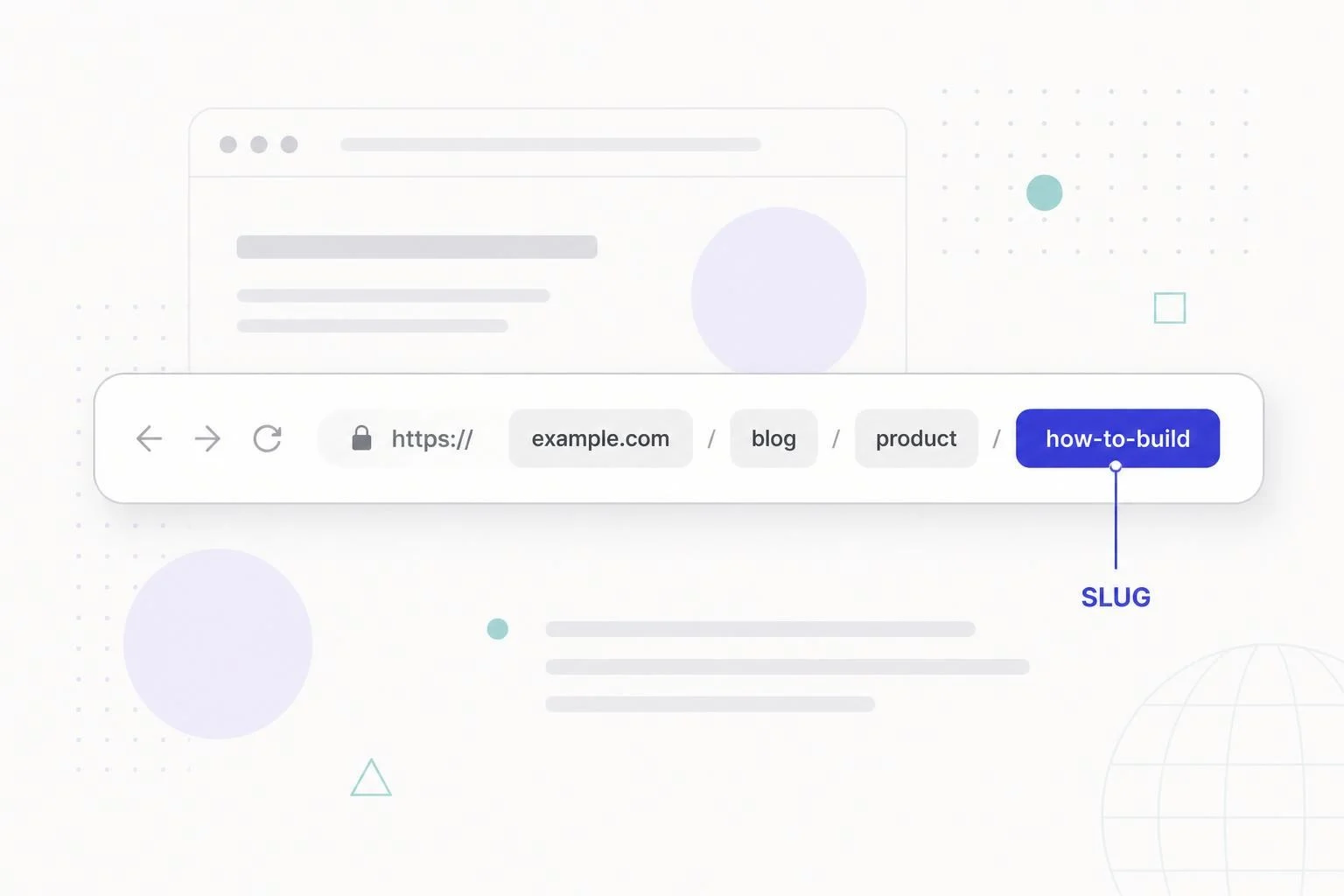
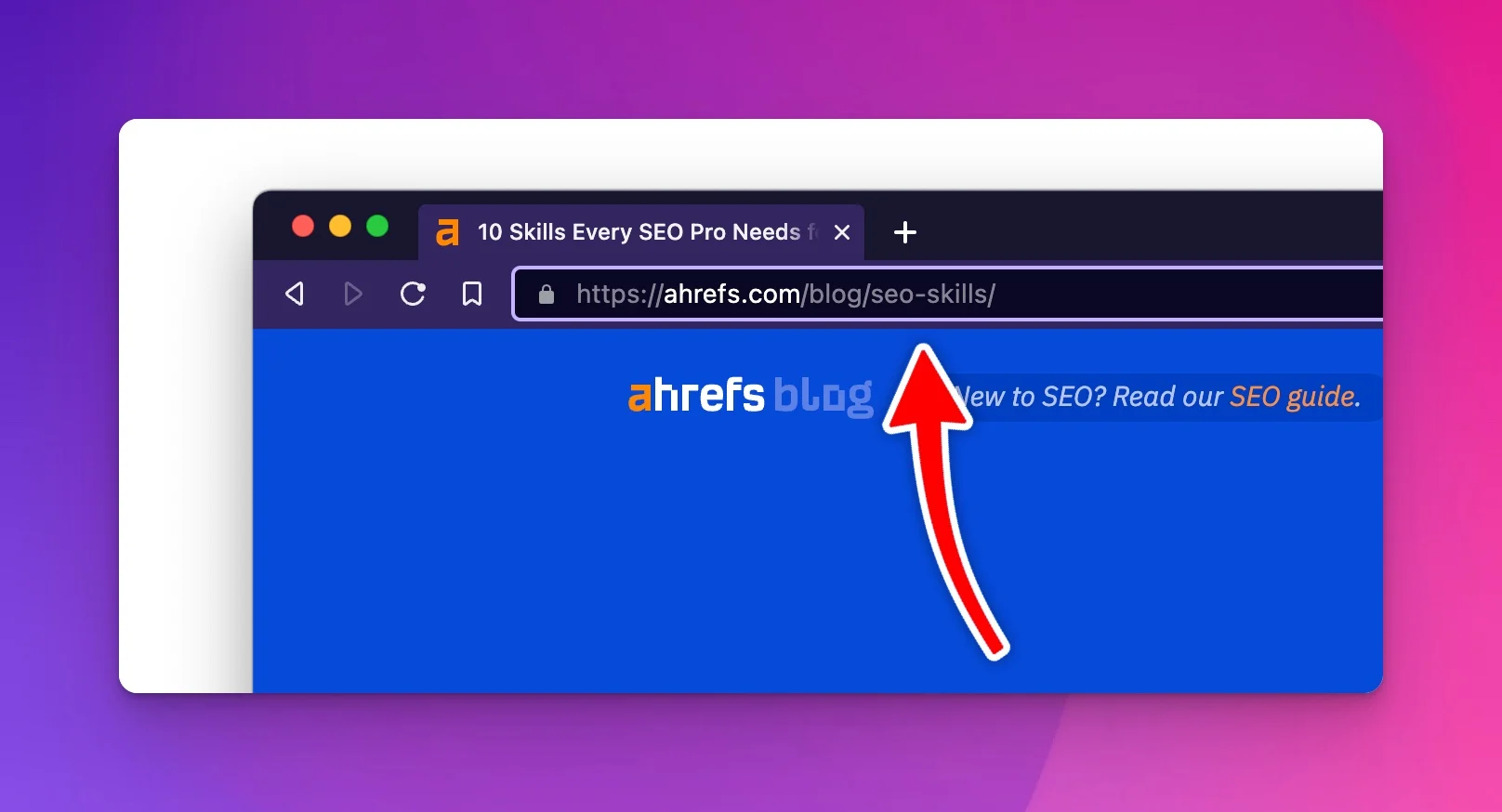
A URL slug is the part of a web address that identifies one specific page, usually the last segment. On seothemes.net/slug/, the slug is slug. A good slug is short, lowercase, uses hyphens between words, and describes the page in a few words, like /speed-up-wordpress/. It isn't a big ranking factor, but it's what every link, share, and bookmark will point to for as long as the page exists, so it's worth getting right before you publish.
Slug, URL, path, or permalink?
These terms get mixed up constantly. Take https://seothemes.net/blog/what-is-a-slug/:
Term | In this example | What it means |
|---|---|---|
URL |
| The full address |
Domain |
| The site |
Path |
| Everything after the domain |
Slug |
| The readable piece that names this one page |
Permalink | The full URL | WordPress's name for a post's permanent URL |
In WordPress, the permalink structure (Settings > Permalinks) decides how the full path is built, such as whether it includes a date or category. The slug is the one piece you edit per post. "URL slug" and "SEO slug" mean the same thing.
Do slugs matter for SEO?
Less than most guides suggest, but they still matter.
Google is direct about the ranking side. Its SEO Starter Guide says keywords in the domain or URL path "alone have hardly any effect beyond appearing in breadcrumbs." Google's John Mueller has called words in a URL a very lightweight factor, one that matters even less once the page is indexed and Google can read its content.
Where slugs do earn their keep:
- Readability. A link like
/best-wordpress-themes/tells people what they'll get before they click it in an email, a chat, or a social post./?p=1847tells them nothing. - Search results on desktop. Google shows the URL as a breadcrumb path above the title on desktop. Since January 2025, mobile results show only the domain, so on phones your slug isn't visible at all.
- Permanence. Every backlink and internal link points to the slug you choose. Changing it later means redirects, so the cheapest time to get it right is before you publish.
Good and bad slug examples
Same article, different slugs:
Slug | Verdict | Why |
|---|---|---|
| Bad | Says nothing to readers or search engines |
| Bad | Long, padded, and dated the moment the year turns |
| Weak | Underscores instead of hyphens |
| Weak | Capital letters can create duplicate URLs |
| Good | Short, lowercase, hyphenated, describes the page |
A quick test: read the slug on its own. If a stranger could guess what the page is about, it's doing its job.
How to write a good slug
Keep it short and focused
Cut the slug down to the core topic. A post titled "5 Best Museums in the Portland Area" gets /5-best-museums-in-the-portland-area/ by default in WordPress. /best-museums-portland/ is better: shorter to share, still descriptive, and it won't be wrong if you expand the list to 10 museums later. Three to five words is a good target.
Include the main keyword once
Use the phrase the page is about, and stop there.
- Good:
/write-meta-descriptions/ - Bad:
/how-to-write-meta-description-writing-meta-descriptions-tips/
Repeating keywords makes the URL look spammy and, given how little weight Google puts on URL words, buys you nothing.
Use hyphens, not underscores
Google's URL structure guidelines recommend hyphens to separate words, because underscores are traditionally used to join words in code. WordPress converts spaces to hyphens automatically, so this mostly matters when you type a slug by hand.
Drop filler words when it reads fine without them
Words like "a," "the," "and," "of," and "for" add length without meaning in most slugs. /how-to-write-a-blog-post/ works fine as /write-blog-post/. Keep them when removing them makes the slug confusing: /what-is-seo/ is clearer than /what-seo/.
Use lowercase only
Google says its URL handling is case sensitive, so /About/ and /about/ can be treated as two different pages. Its guidance is to use one case throughout. WordPress lowercases slugs automatically, so this mostly bites on custom setups and hand-typed links.
Stick to letters, numbers, and hyphens
Spaces, &, ?, =, and similar characters get percent-encoded (a space becomes %20) and make URLs ugly to share. WordPress strips most of them and converts accented Latin letters (é becomes e) when it generates a slug. If you write in a language that doesn't use the Latin alphabet, Google says to use words in your audience's language; they'll be percent-encoded behind the scenes, which is fine.
Leave dates out of evergreen content
A slug like /2023/08/what-is-seo/ makes a still-accurate guide look old. For evergreen posts, use /what-is-seo/ and let the published or updated date live on the page. News sites are the exception, since dates there are useful.
How to change a slug in WordPress
In the block editor, open the post settings sidebar. In the Summary panel, click the post's URL (link) and edit the slug field. In the classic editor, use the Edit button next to the permalink under the title.
Do it before you publish. WordPress generates a slug from your first title, and it's easy to forget to trim it.
Changing the slug on a published post
Usually, don't. Google's starter guide advises against reorganizing URLs just for SEO, since search engines "will likely understand your pages as they are right now."
Change it when the old slug is misleading, keyword-stuffed, or meaningless, or when you're merging two posts into one. If you do:
- Update the slug and save.
- Make sure the old URL 301-redirects to the new one. For published posts, WordPress does this on its own: it stores the old slug and redirects visitors to the new URL. It does not do this for pages or other hierarchical post types, so add a redirect yourself with the Redirection plugin or Rank Math's redirection module.
- Update internal links that point to the old URL, so you aren't relying on the redirect.
- Check that your XML sitemap lists the new URL (see how to find your sitemap).
- Watch the Page indexing report in Search Console over the next few weeks.
A redirect won't cost you rankings on its own. Google has said since 2016 that 301 and other 3xx redirects don't lose PageRank. Expect some movement while Google recrawls and processes the change, which is one more reason to only do it when it's worth it.
One WordPress catch: if your permalink structure includes the category (/%category%/%postname%/), moving a post to a different category changes its URL too. Test the old URL after any category change.
URL structure beyond the slug
The slug is one part of the URL. A few site-wide rules matter as well:
- Pick one permalink structure and stick to it.
/%postname%/is the simplest for most blogs. - Don't worry about how many slashes are in a URL. What matters for SEO is how many clicks a page is from your homepage, which is about internal links, not URL folders. See the three-click rule for how to think about depth.
- For template-generated pages at scale (programmatic SEO), decide the URL pattern before you generate anything. Fixing it across 10,000 pages later is painful.
Set it once, then leave it alone
Short, lowercase, hyphenated, descriptive, keyword once, no dates. Trim it before you publish, then leave it alone unless there's a real reason to change it. The slug is a small part of SEO, so spend the effort you save on the parts that matter more, like a title that earns the click.