
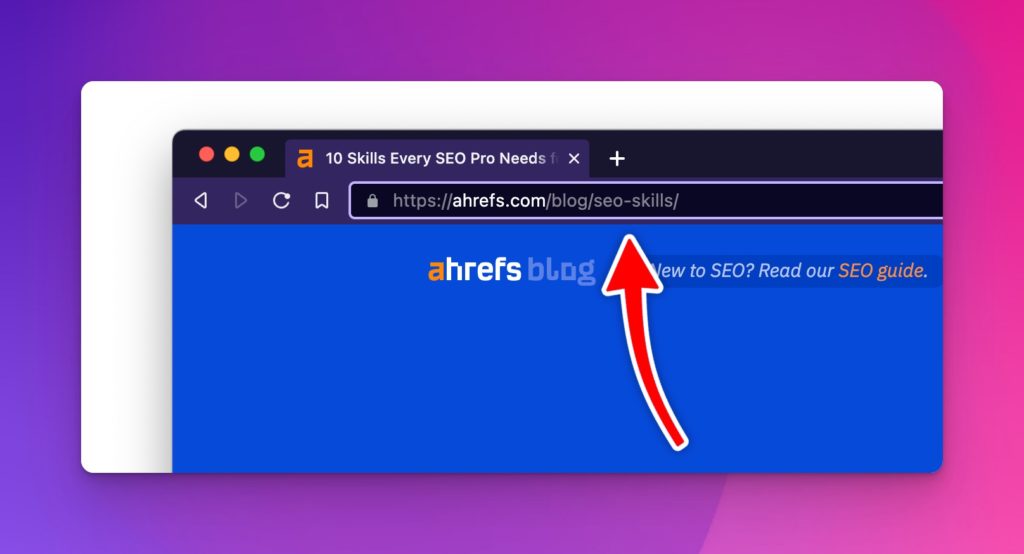
Your URL slug is the part of a web address that identifies a specific page. On seothemes.net/slug/, the word “slug” is the slug. On a post URL like example.com/best-wordpress-themes/, everything after the domain is the slug.
Slugs matter because they’re one of the small on-page signals Google uses to understand what a page is about. They appear in search results below the title, and they’re what every internal and external link to the page will point to forever.
Why SEO slugs matter
They’re a ranking signal (minor but real)
Google has stated repeatedly that URL keywords are a small ranking factor, not a dominant one. More practically, a clean URL with your primary keyword gives the user an extra signal that the page matches their query before they click.
They affect click-through rate
URLs show up right below the title and meta description in search. A clean, readable URL (/best-wordpress-themes/) earns more clicks than a messy one (/?p=1234&category=5).
They’re semi-permanent
Every inbound link, share, and bookmark points to your current slug. Change it without a 301 redirect and you lose every bit of SEO value that URL built up. Slugs are one of the hardest things to change later, so it’s worth getting them right once.
Slug, URL, path, or permalink?
These get used interchangeably and it causes real confusion, so here is the plain version. Take https://seothemes.net/slug/. The whole string is the URL. The domain is seothemes.net. The path is /slug/. The slug is the readable identifier at the end that names this specific page, which here is just slug.
In WordPress, “permalink” refers to the whole permanent URL for a post, while the slug is the editable piece you control per post. When a WordPress setting asks for your permalink structure, it is asking how to build the full path. When the editor sidebar asks for a slug, it is asking about that final segment only.
People search for “URL slug” and “SEO slug” interchangeably. They mean the same thing.
Good and bad slug examples
The rules above are easier to see in practice. Same article, different slugs:
| Slug | Verdict | Why |
|---|---|---|
/p=1847 | Bad | Tells readers and search engines nothing |
/2019/04/how-to-choose-the-best-wordpress-theme-for-your-new-blog-in-2019/ | Bad | Too long, stuffed, and dated the moment the year turns |
/best_wordpress_theme | Weak | Underscores instead of hyphens |
/Best-WordPress-Themes | Weak | Capital letters invite duplicate-URL problems |
/best-wordpress-themes | Good | Short, lowercase, hyphenated, describes the page |
If you are ever unsure, read the slug out loud with nothing else around it. If a stranger could guess what the page is about, it is doing its job.
Rules for a good slug
Keep it short and meaningful
Condense the URL down to its root concept. A post titled “5 Best Museums in the Portland Area” will default in WordPress to /5-best-museums-in-the-portland-area/. A better slug is /best-museums-portland/.
Three practical benefits:
- Shorter to share
- Still keyword-relevant
- Doesn’t lock you into “5” if you expand the post to 10 museums later
Use relevant keywords, don’t stuff them
Include your primary keyword. Don’t include three variations of it.
- Good:
/how-to-write-meta-descriptions/ - Bad:
/how-to-write-meta-description-writing-meta-descriptions-tips/
Keyword stuffing in slugs has been a dead tactic since Panda. It looks spammy to users and produces no ranking lift.
Separate words with hyphens, not underscores
Google treats hyphens as word separators and underscores as word joiners. /best-wordpress-themes/ is read as three words. /best_wordpress_themes/ is read as one weird word. Always use hyphens.
Skip stop words when it helps readability
Stop words are common words like “a”, “an”, “the”, “and”, “of”, “for”. They add length without value in most slugs:
/how-to-write-a-blog-post/→/how-to-write-blog-post/
That said, don’t delete stop words when it makes the slug weird or ambiguous. /what-is-seo/ reads better than /what-seo/.
Use lowercase only
URLs are technically case-sensitive on most servers. /About/ and /about/ can be treated as two different pages, which creates duplicate content issues. Lock everything to lowercase and never capitalize a slug.
Avoid special characters, accents, and spaces
Stick to letters, numbers, and hyphens. Accented characters (é, ñ), encoded spaces (%20), and special characters (&, ?, =) create problems for browsers, social sharing previews, and some CMS configurations.
Don’t include dates unless you’re a news site
A slug like /2023/08/what-is-seo/ ties the page to a date that will feel outdated in a year. For evergreen content, use /what-is-seo/ and let the published date live in the page metadata, not the URL.
When (and how) to change an existing slug
Usually you shouldn’t change slugs on published content. Every change requires a 301 redirect from the old URL to the new one, and you’ll lose a small amount of ranking equity in the process.
Change a slug when:
- The original was keyword-stuffed or nonsensical
- The page topic shifted significantly
- You’re consolidating two pages into one
When you do change it:
- Update the slug in your CMS
- Set up a 301 redirect from the old URL to the new URL
- Update all internal links pointing to the old URL
- Re-submit your updated XML sitemap to Search Console (see how to find your sitemap)
- Watch Search Console for “Crawled, not indexed” spikes over the following 2-3 weeks
WordPress-specific slug tips
- The slug field is under the post’s Permalink section in the sidebar, or under “URL” in the block editor’s document settings
- WordPress auto-generates a slug from your title. Edit it before publishing, not after
- Category and tag bases count as part of the URL. If your permalink structure is
/category/post-slug/, changing the category changes every post’s URL - If you need to change an existing slug, the Redirection plugin or Rank Math’s redirect module handle the 301 automatically. Never change a slug and leave the old URL broken
URL structure beyond the slug
The slug is one piece of the URL. The overall structure matters too:
- Keep URLs shallow. Pages three or four levels deep hurt both crawling and user navigation. Aim for flat structures where possible, per the three-click rule
- Pick one structure and stick with it. Don’t have some pages at
/blog/post-name/and others at/post-name/ - For template-generated pages at scale (programmatic SEO), URL structure is load-bearing. Get the pattern right before you generate 10,000 pages
The short version
Short, lowercase, hyphenated, descriptive, keyword-included, set once, changed rarely. Google has documented their own URL structure best practices if you want the full reference.

Leave a Reply